Search terms & keywords
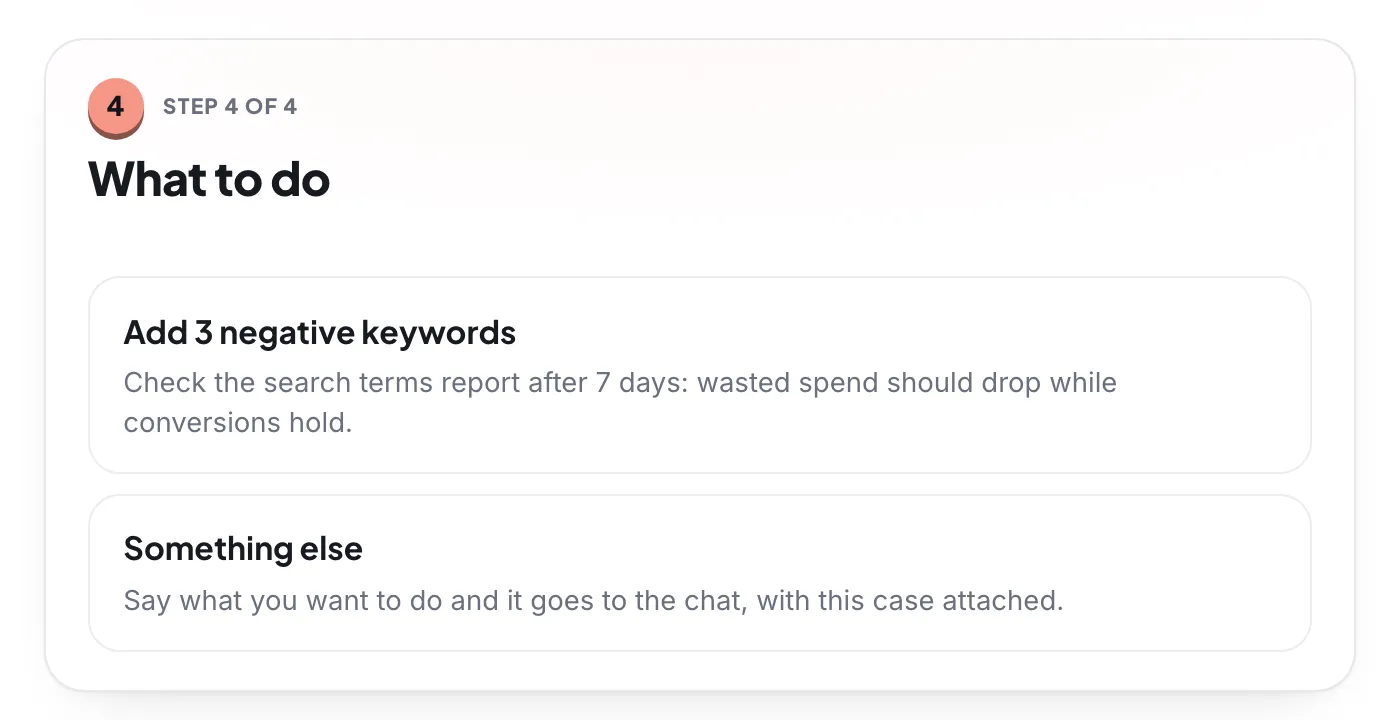
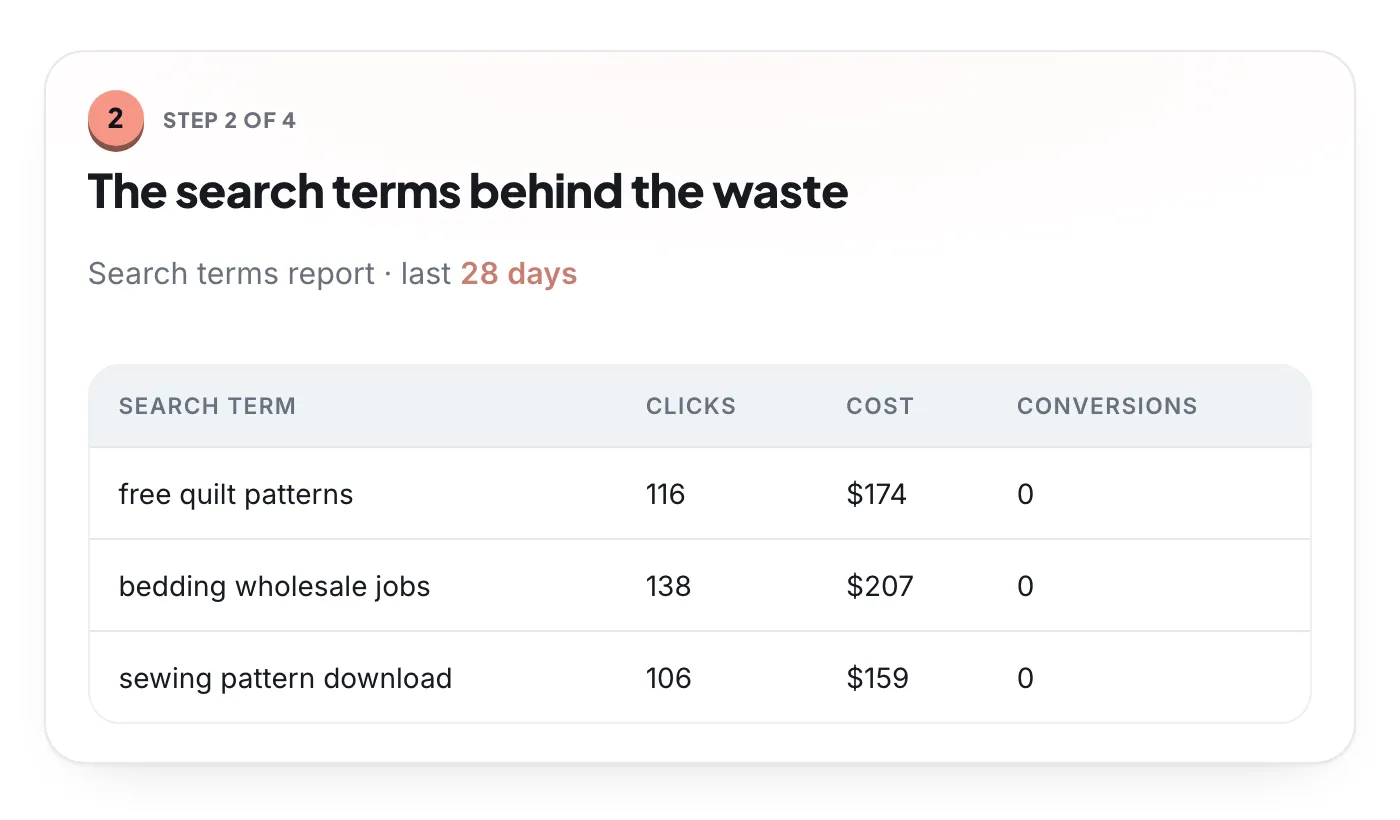
- Add negative keywords
- Add converting searches as keywords
- Pause or enable keywords
- Change keyword bids
Boxoo is PPC software built around specialist AI agents. They review your Google Ads account every day, explain each finding with the numbers behind it, and prepare the fix. You approve it with one click, and you can undo it.
Most Google Ads tools hand you a score or a to-do list. Boxoo does the analysis and prepares the change, and leaves the decision with you.
Up to 21 reviews read your live Google Ads data every day: search terms, budgets, bidding, tracking, ads, landing pages, targeting, and more.
Each finding becomes a case with what was found and the numbers from your account behind it.
The agent investigates the case and prepares the change, or exact steps when the fix is outside Google Ads.
Nothing changes until you press Apply. Boxoo records the old values first, so most changes can be rolled back.
Real Boxoo screens from the demo account: the evidence, the exact change, and the undo once it's applied.
Every change below is applied through the Google Ads API when you approve it.
Google Ads automation usually means rules or scripts that change your account on their own. Boxoo automates the part that takes hours, reading the account and finding what to fix, and keeps every change behind your approval. That makes it a safe way to optimize an account you care about.
Reads every search your ads showed on, catches the ones that waste money, and finds the ones worth adding.
What it checksChecks whether budget sits where it earns the most, and whether each bid strategy fits the data behind it.
What it checksExplains why the numbers moved: account changes, anomalies, campaign settings, structure, and Performance Max.
What it checksMakes sure your conversions count correctly, briefs you on yesterday, and weighs Google’s recommendations against your real numbers.
What it checksReviews ads, assets, and the pages they send people to, and catches weak creative before it costs you.
What it checksFinds where more spend still pays, and checks locations, devices, schedules, and audiences.
What it checksEvery approach trades effort against control. Boxoo does the analysis and leaves each decision with you.
| Boxoo | Rules and scripts | Autopilot tools | |
|---|---|---|---|
| Who makes the change | You, by pressing Apply on each case | Rules you write, on a schedule | The tool, within limits you set |
| Why it changed | Evidence from your account on every case | The condition you wrote | Whatever the tool’s log records |
| Setup | Connect the account and read the first audit | Write, test, and maintain each rule | Set goals and guardrails, then hand over |
| Undo | Old values are kept; most changes can be undone | Only if you build it | Depends on the tool |
| Best for | People who want the analysis done and the final say | Specialists who want full control | Teams that want to hand the account over |
Free to start. Connect your account and the first cases arrive with fixes ready. Nothing changes until you press Apply.
Optimize my account freeRead our honest list of the best AI tools for Google Ads, or compare Boxoo with Opteo, Optmyzr, Ryze AI, and Google Ads Advisor. Want to see what the tool would find first? Run the free Google Ads audit.
It reads your account, finds what is costing money or holding results back, and helps you fix it: wasted search terms, budget limits, weak ads, broken tracking, and targeting problems. Boxoo does this with specialist AI agents that review the account every day and prepare each fix for your approval.
It automates the analysis, not the decisions. Reviews run on their own every day, and each finding arrives with a prepared fix, but nothing changes in your account until you press Apply. Most applied changes can be undone from the same case.
Instead of a list of rules or a single score, each part of the account has its own specialist that explains what it found with evidence from your account. See our comparisons with Opteo, Optmyzr, Ryze AI, and Google’s own Ads Advisor for the details.
Yes. Create a workspace for each client account, invite teammates as owners, managers, or viewers, and connect client accounts you reach through your manager (MCC) account.
The Google Ads audit is free, with no card. Pro keeps Boxoo working on your account every day from $29 a month, priced by your Google Ads spend, with a 3-day free trial.
Free to start, Pro when you want every case. New cases and updates every day, and nothing changes without you.